
What is Predictive Targeting?
-
Predictive Targeting is an advanced marketing approach that uses data and analytics to identify the small percentage of people most likely to become customers—before any marketing is sent.
-
Instead of sending mail broadly and hoping for results, predictive targeting analyzes hundreds of data points (like behavior, demographics, and buying signals) to pinpoint the top ~3% of high-intent prospects. By focusing only on this audience, businesses can dramatically reduce wasted spend—eliminating up to 97% of unnecessary outreach, while increasing the likelihood of conversions.
-
In short, it’s about working smarter, not wider: using data-driven insights to send the right message to the right people at the right time, making direct mail far more efficient and effective.
Who Has Access?
- To take advantage of this new feature, you’ll need to be on our Pro Plan ($599+) or higher. Availability may vary for certain franchise accounts, so please reach out to our team via chat for more details and to confirm if your plan qualifies.
Walkthrough:
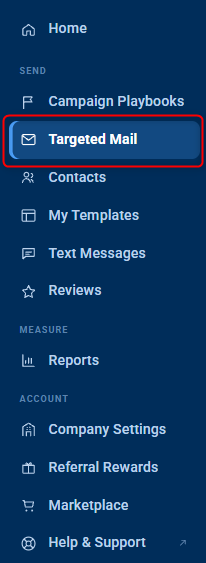
- You can locate this new feature along the left side of your screen under the "Targeted Mail" tab.
- You will then see 3 options:
- Predictive Targeting
- Radius Bomb
- EDDM
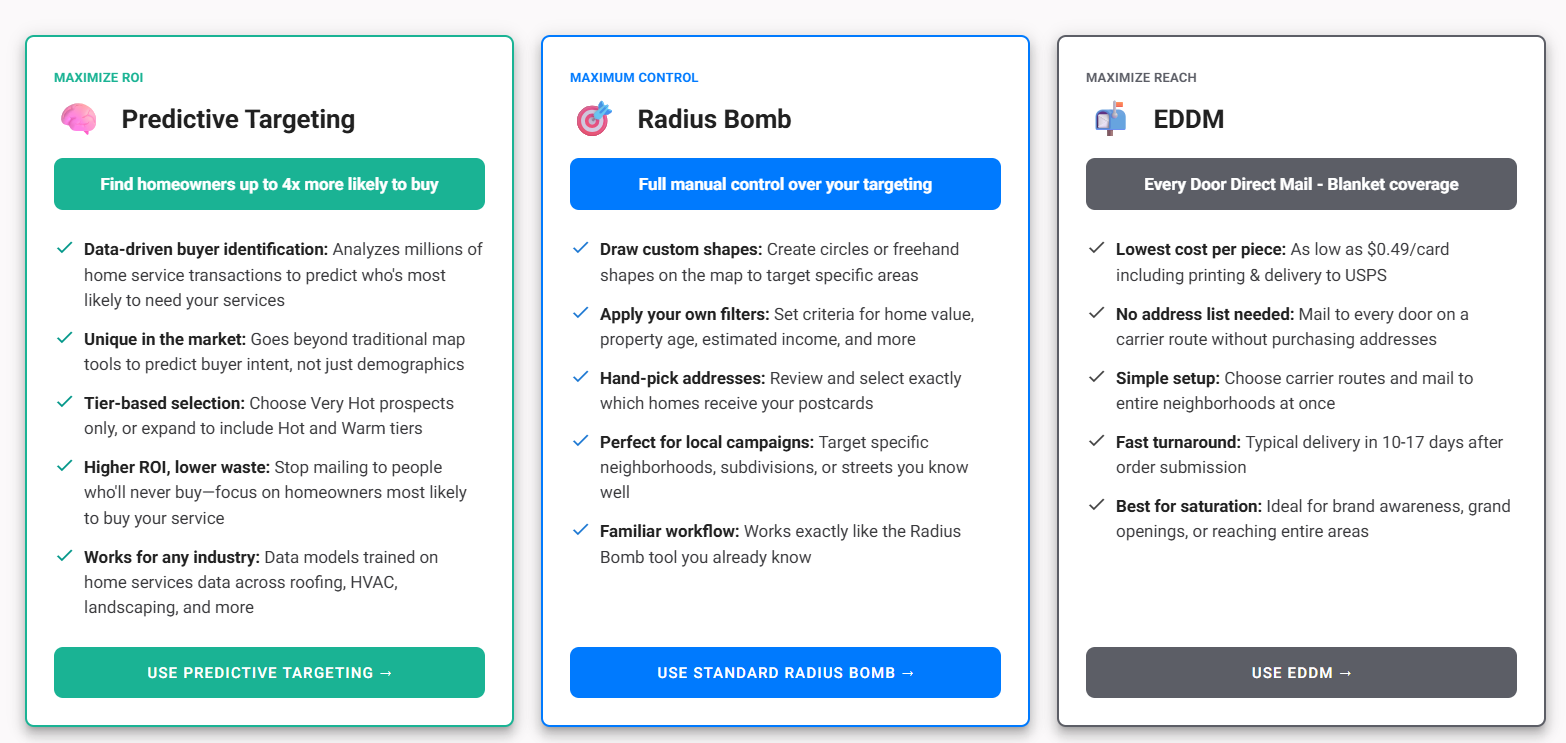
- Select Predictive Targeting
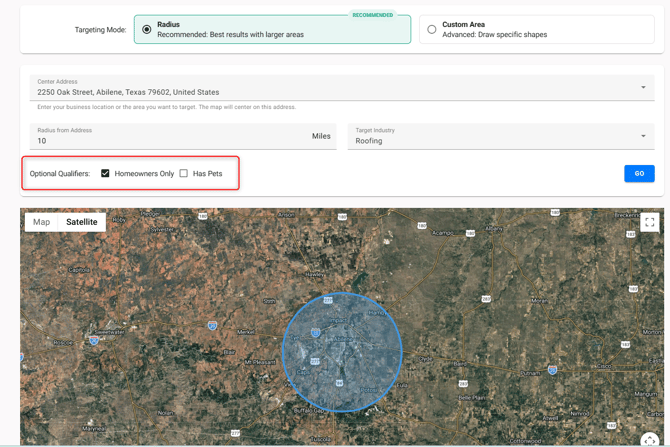
- Targeting Mode: You will have the option to target based off a Radius (mile distance around the address you add) or to draw a Custom Area (just like in the Radius Bomb).

- Select your Targeting Mode then add your address.
- If selecting Radius, choose the Radius distance (in miles).

-
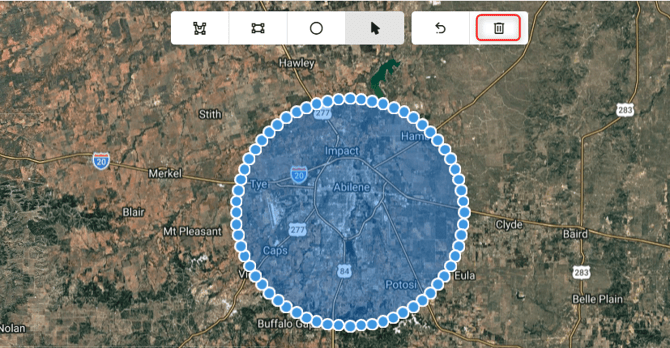
- If you choose Custom Area, you will need to either move the existing circle around on the map to find the area you would like to target. Or you can click on the current shape, and use the trash can icon to remove it and start from scratch.
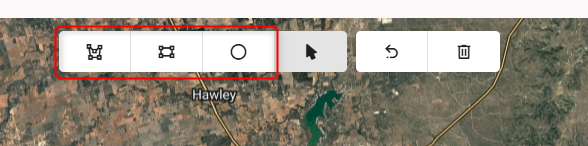
- If you are drawing a new shape, use the drawing tools at the top of your screen.
- Target Industry: Use the dropdown to select the Industry that best fits your Company.

-
Optional Qualifiers: You can also choose to limit to only Homeowner as well as if someone has pets. Use the checkbox to mark these is you would like to utilize the additional filters. The hit "Go".
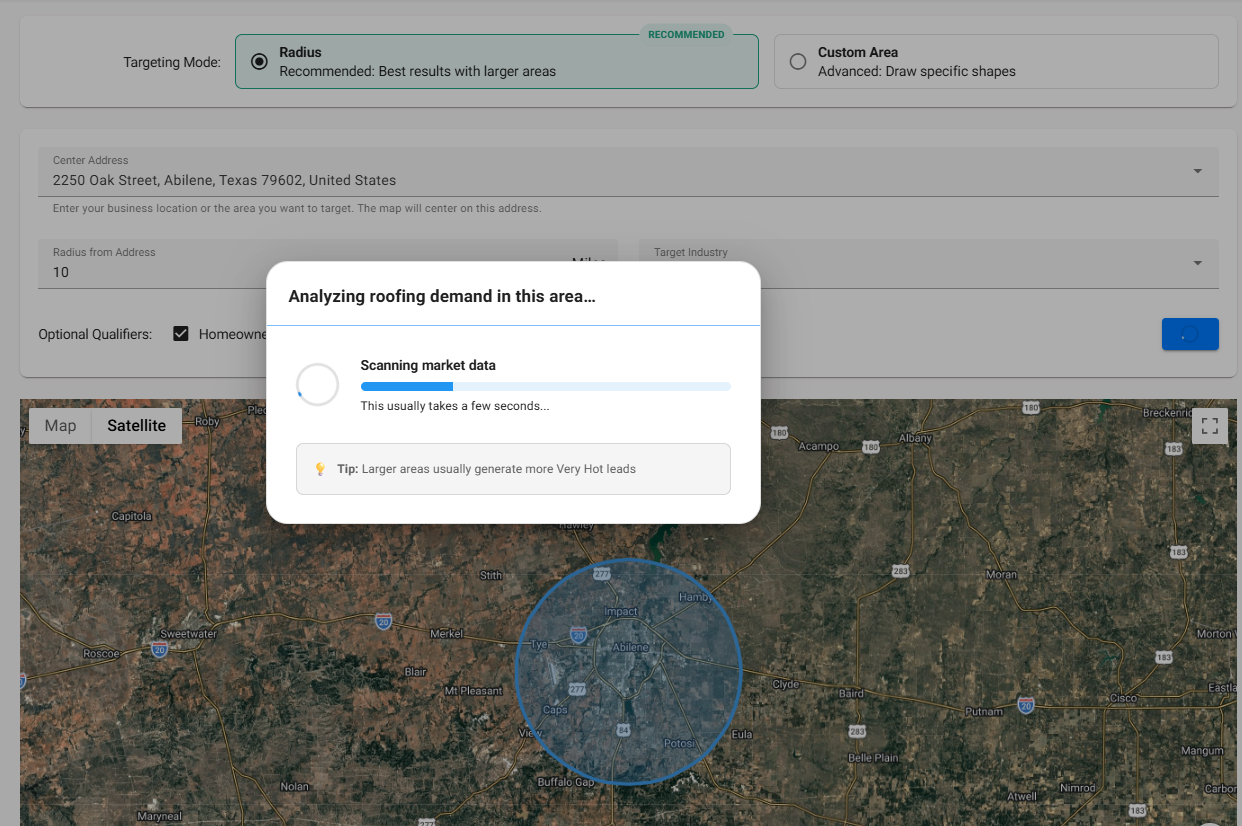
- The system will then start to analyze the area highlighted to generate your results. This may take a minute or two.
- Once complete, it will show you the following:
- Very Hot Prospects- Up to 4x more likely to buy
- Hot Prospects- 2-3x more like to buy
- Warm Prospects- Above average likelihood
- Cold Prospects- Lowest conversion probability
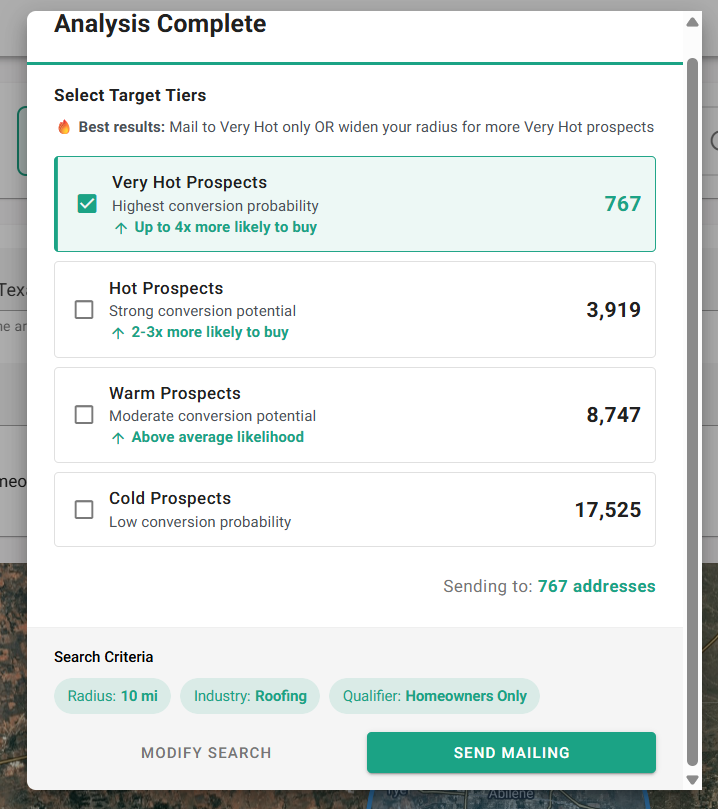
- You can then choose which groups you would like to target. Use the checkbox to include any of your ideal prospects then select Send Mailing.
- If you want to adjust anything in your search you can click Modify Search to be brough back to the map and filtering area.
- Once you click Send Mailing, you will be shown all the Templates saved in your account. you can select the item you wish you send and complete the mailing.
**If you are not in a plan that qualifies for Predictive Targeting and you try to mail something, you will see a message encouraging you to upgrade your account.**